Agents
Agents in the terminal
Run Claude Code, Codex, opencode or any command-line agent in mxds, see what each one is doing, and let agents open panes and message each other.
mxds does not ship an agent of its own. You run the one you already use — Claude Code, Codex, opencode or any other — in the terminal, and mxds works around it: it knows which agent is running in which pane and what it is doing, tells you when one needs you, opens Claude Code's proposed edits as diffs, and gives every agent the mxds command to work with your data.
Starting an agent
Open a terminal tab and type the agent's command, as you would anywhere else:
claude
Nothing has to be configured. Every mxds terminal already has the mxds CLI on its PATH, so the agent can run SQL, read results and search Recall from the start. Ask it to run mxds skill and it reads a briefing on how to use it.
To continue an earlier conversation, double-click it in the Agents panel.
What mxds recognises
mxds watches the program running in each pane and what it shows on screen. It recognises Claude Code, Codex, opencode, Gemini CLI, Cursor Agent, GitHub Copilot CLI, Amp, Cline, Kiro, Droid and other command-line agents, including ones started through npx, node or a shell script.
For each one it knows the state:
| State | Means |
|---|---|
| working | the agent is busy |
| blocked | it needs you: a question, a permission prompt, a choice |
| idle | it has finished its turn and waits for your next prompt |
| done | the agent has exited |
You see the states in the Agents panel, as a count on its rail icon, and as a red dot on the Dock icon while any agent is blocked. Agent mode of caffeine keeps the Mac awake while one is working.
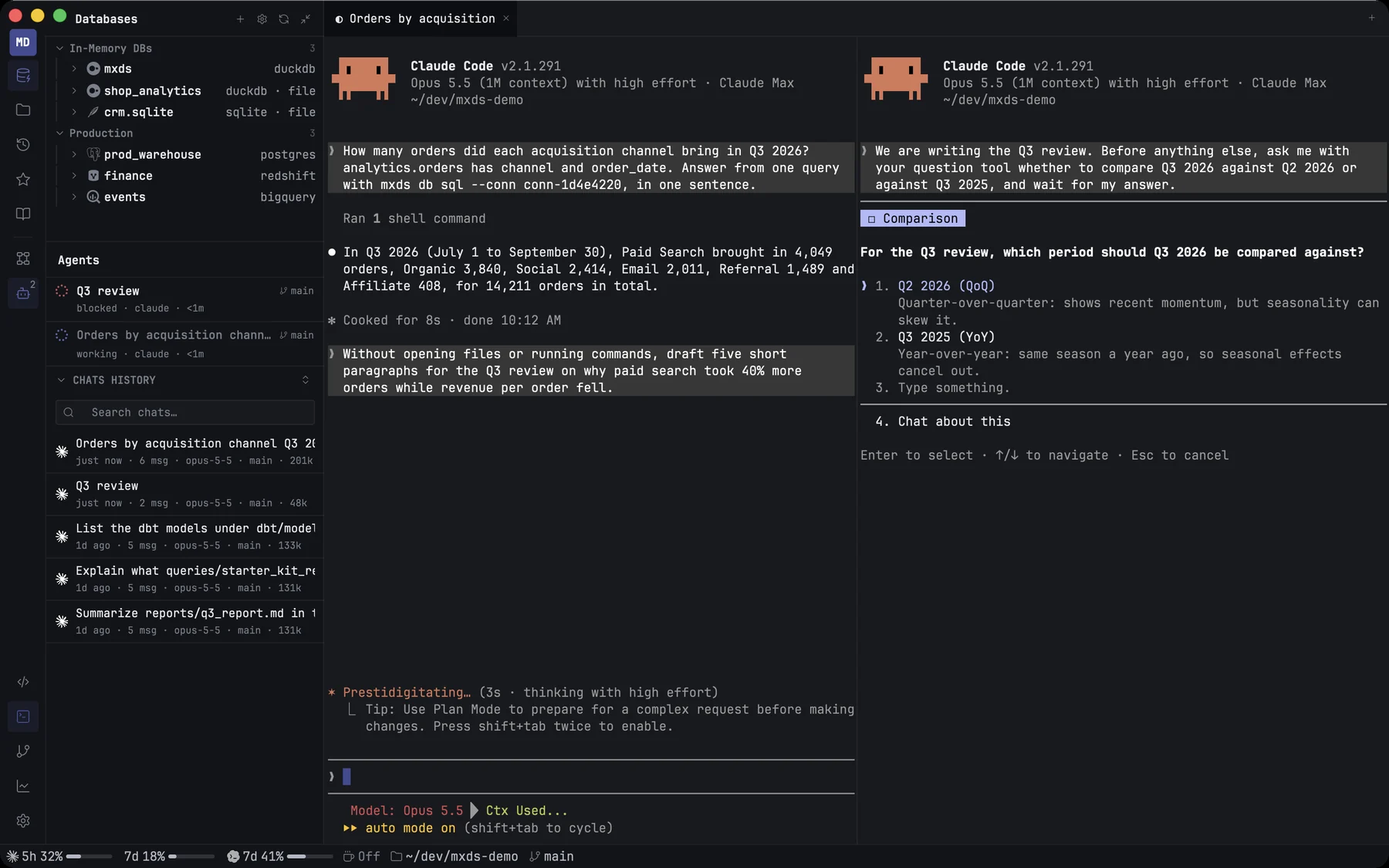
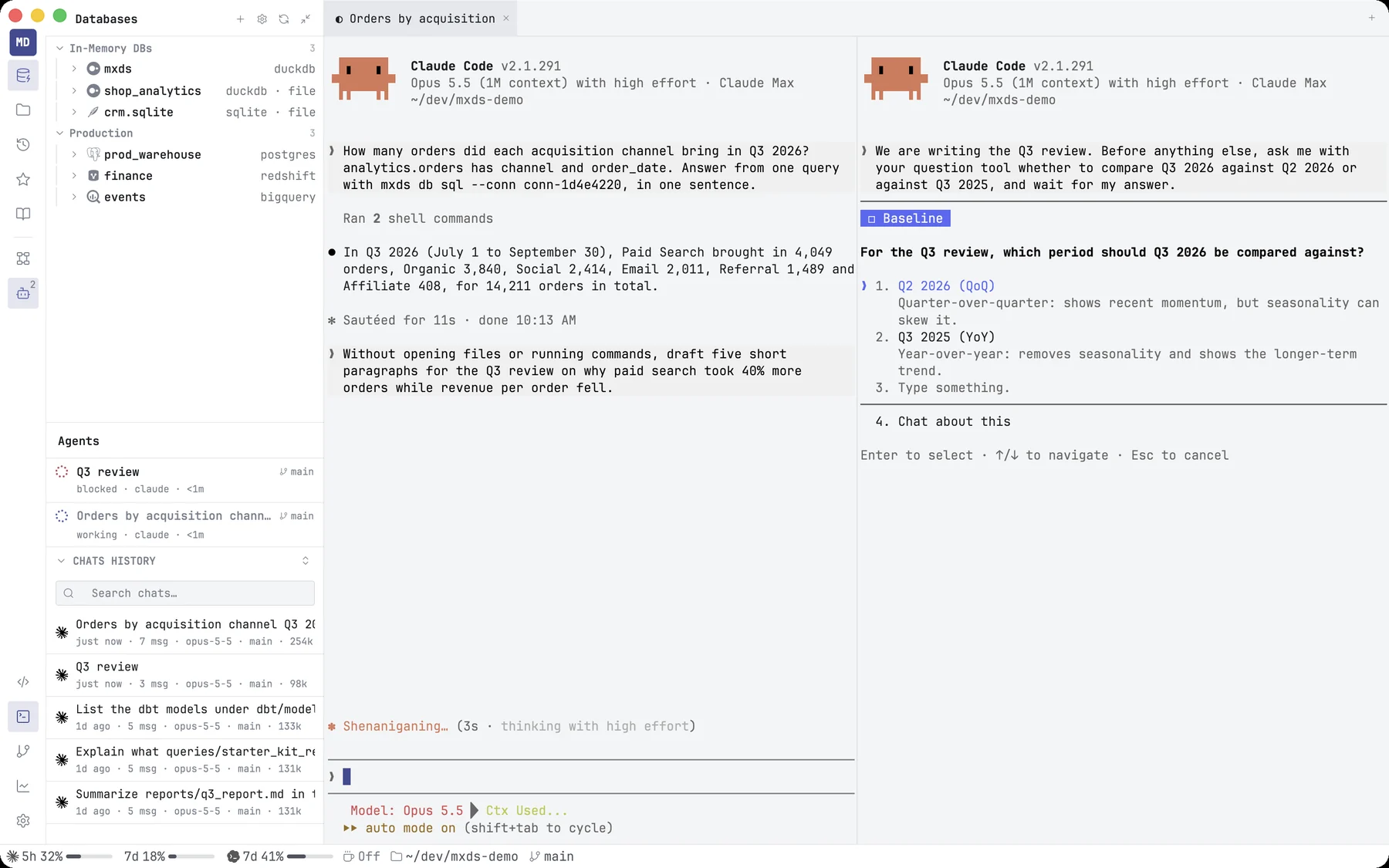
Notifications
When an agent needs you or finishes, mxds tells you: claude needs input, with the folder and branch it is working in. When you are in another app, it is a macOS notification; click it to bring mxds to the front. While mxds is in front, it is a small notice in the corner of the window — unless that agent's terminal is already on screen in front of you (its tab is selected and the terminals are not hidden), in which case nothing is shown.
Agents that send notifications of their own, such as Claude Code, are shown too: as a macOS notification when mxds is in the background, and as a small notice in the corner of the window when it is in front.
Settings → Agents → Notifications:
| Setting | Default |
|---|---|
| Notifications from CLI agents | on |
| Notify when an agent needs input or finishes | on |
| Play a sound with notifications | on |
The sound plays with macOS notifications only; the notice inside the window is always silent.
The rail count, the Dock dot and the moving highlight on working titles can be turned off on the same page.
Claude Code and the editor
Claude Code started in an mxds terminal connects to mxds as its IDE by itself, with no /ide command. A Claude Code started in another terminal can connect too, with /ide, when it runs inside the project folder.
Once connected, Claude Code sees which file you have open and what you have selected — in the editor, in a Markdown preview, or cells in the results table — and can open files and read lint problems. From the results table it gets at most the first 1,000 selected rows, and is told how many you selected in all.
When it wants to change a file, the change opens in mxds as a diff tab, with the file name, whether it is new or modified, and the lines added and removed. Read it and choose:
- Accept (⌘↩) — Claude Code writes the change.
- Reject (Esc) — the change is dropped and Claude Code is told so. Closing the tab also rejects it.
The diff opens without taking focus from the terminal; click into it before using the keys.
The integration goes through the same connection as MCP, so turning off MCP server in Settings → Integrations & MCP turns it off too.
Agents that work together
An agent can open panes of its own and talk to the agents in them. With the mxds pane commands, or the matching MCP tools, it can:
- list the panes and the agent and state of each,
- open a new tab or split its own pane, and start a command there — for example another
claude, - type text or press keys in a pane, and read what it shows — dim text, such as Claude Code's suggested next prompt or a placeholder, comes back wrapped in
⟦ ⟧, so the agent does not take it for something you typed, - wait until a pane's agent goes idle, gets blocked, exits, or prints some text (dim text does not count),
- focus or close a pane.
A typical lead and worker:
w=$(mxds pane split right -- claude | sed -n 's/^pane: //p')
mxds pane send $w "Profile the orders table. When done, run: mxds pane reply '<summary>'"
mxds pane wait $w --until reply,idle,blocked --timeout 540
The worker answers with mxds pane reply, and the lead reads the answer from mxds pane wait or mxds pane inbox. Messages are not typed into anyone's terminal; they wait in a mailbox until read.
New panes open beside your work without taking focus. A pane with a running program is closed only when the agent asks for it explicitly.