Agents
Reviewing an agent's work
Comment on a document or on terminal output and hand the notes to the agent, then check its edits in the git view.
When an agent writes a plan, a report or code, you review it in mxds the way you would review a colleague's: point at a passage, say what is wrong, and send the notes back. Then look at what it changed on disk before you commit.
Comments on a Markdown document
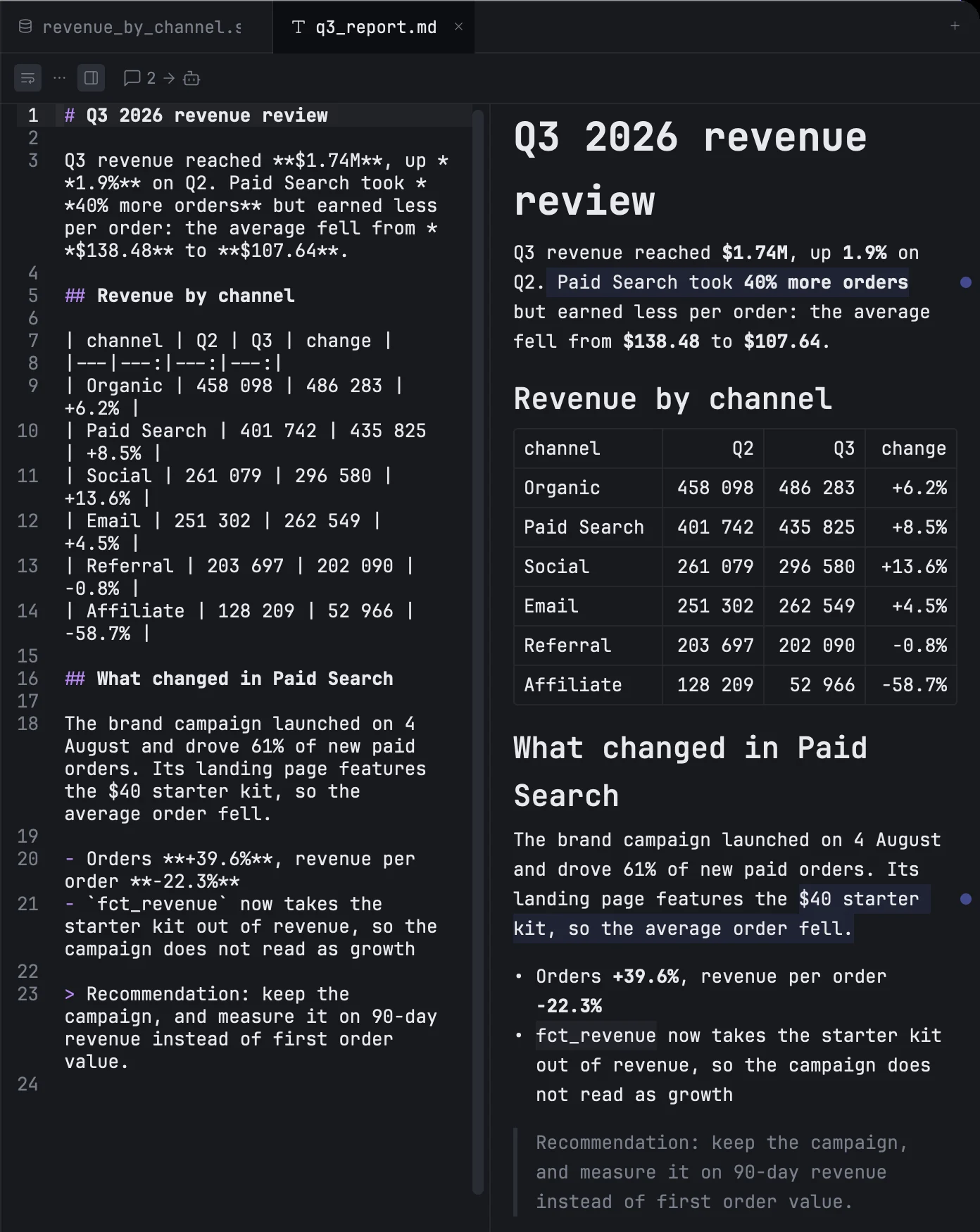
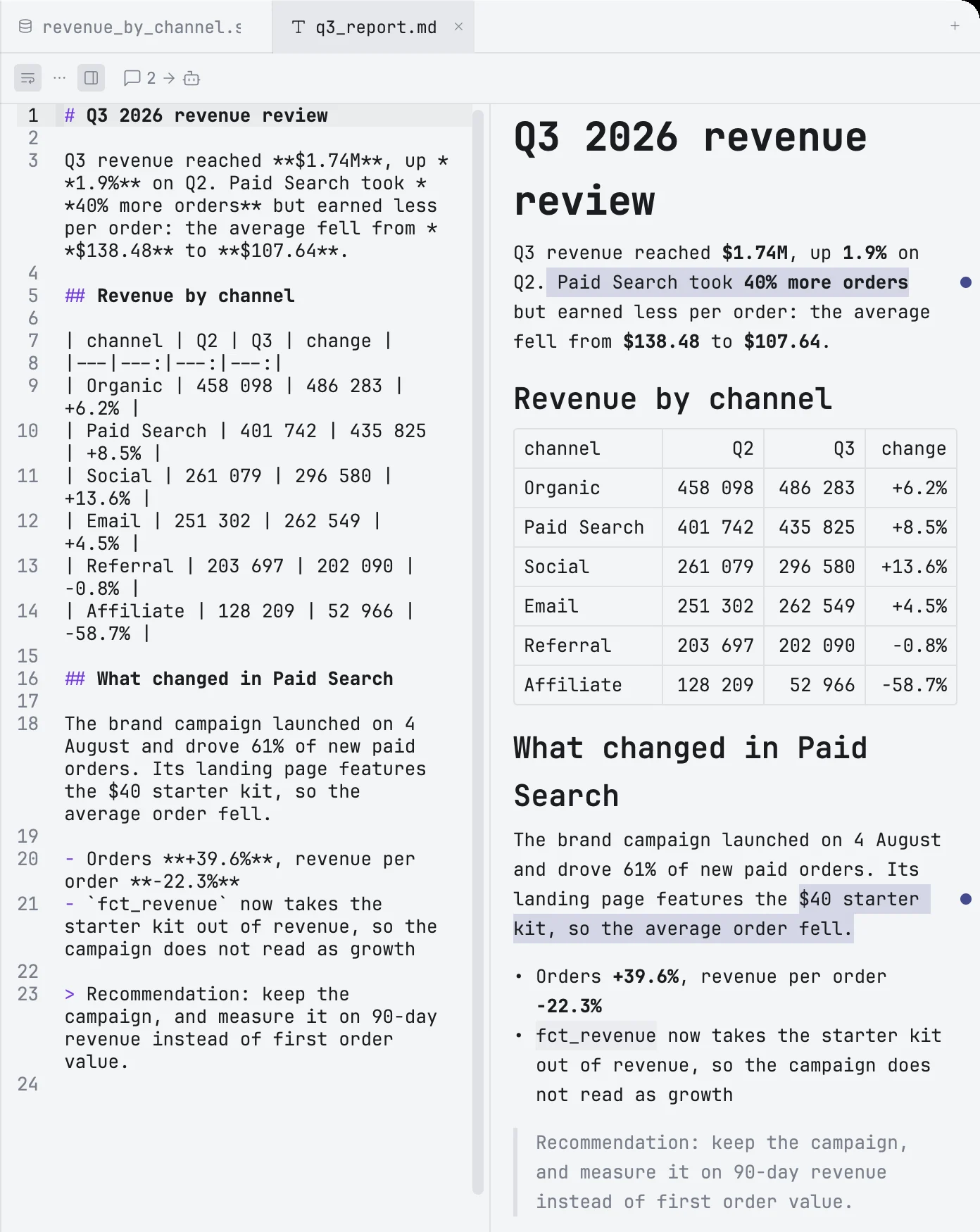
Open the document in preview, or side by side with its source.
- Select a passage in the preview. A small round button with a robot appears at the end of the selection.
- Click it and type your note in Comment for the agent….
- Press ↩ to save it. ⇧↩ starts a new line, Esc closes the box without saving.
The passage stays tinted, with a dot beside it. Click the dot to read or change the note; the × in the box deletes it, and so does saving it empty. Add as many comments as you like.
Sending them
When there is at least one comment, a button with their count appears in the editor toolbar. Click it, or press ⌘⇧↩. mxds writes all the comments of that document into one prompt — each with its line numbers, the quoted lines and your note — and types it into the terminal: the active split of the terminal tab that is open. It is also copied to the clipboard.
The prompt is left in the agent's input for you to read, and goes when you press ↩. To submit it straight away, turn on Settings → Editor → Review comments → Press Enter after sending.
The comments are cleared once the terminal has received them. If there is no terminal open, they stay, and the prompt is only copied.
Comments live in the open tab, not in the file: they are not saved, and closing the tab discards them. If the text changes while you comment, each comment follows the passage it quotes; a comment whose passage is deleted goes with it.
Comments on terminal output
You can comment on what an agent printed in the same way. Hold ⇧ and drag over the text in the pane — this works even inside a full-screen agent that captures the mouse. A note box opens at once.
Type your note and press ↩. The quoted lines and your note are typed into that pane's prompt, ready for you to add to or send. ⇧↩ starts a new line, Esc cancels.
A plain drag without ⇧ still selects text to copy.
Checking the agent's edits
⌘G opens the git view over the window: every changed file in the project with its diff. From there you can open a file at a changed line, revert one change or a whole file (with Undo), pick the files to commit, write the message — or have it written for you — and commit and push. See Git changes.