Workspace
Settings and privacy
The Settings window, themes, and what mxds sends about your use of it and how to turn each part off.
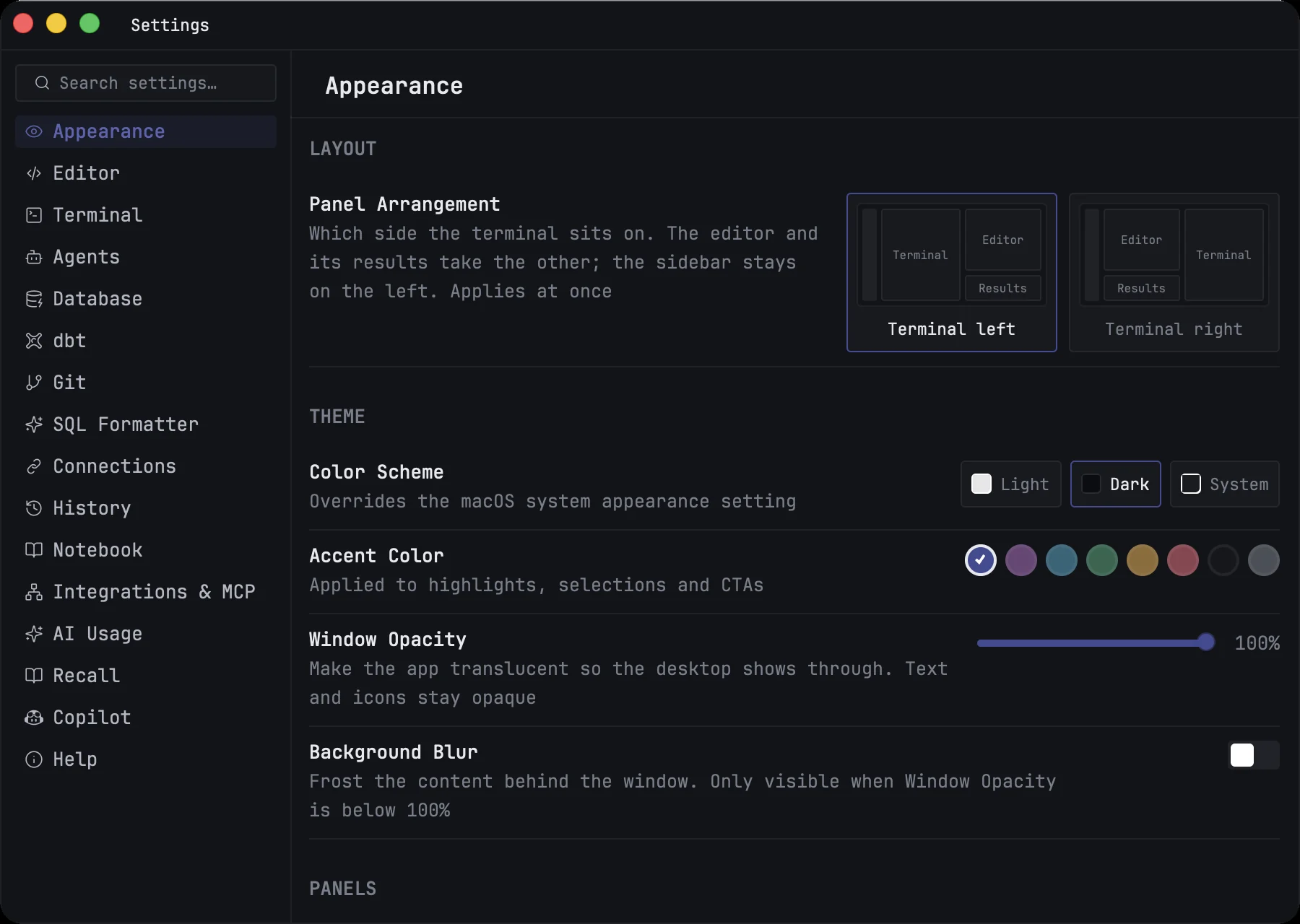
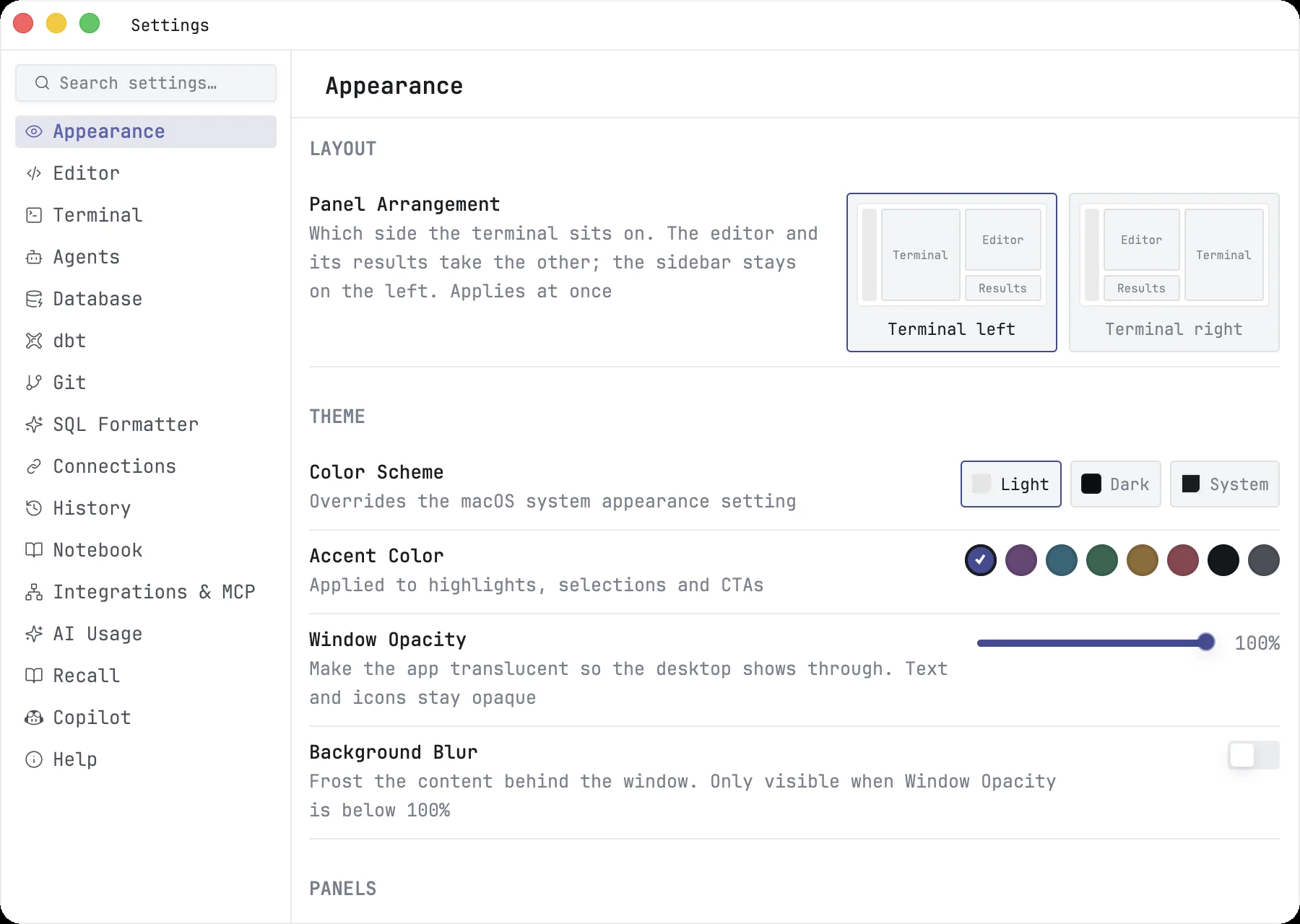
Settings open in a window of their own. Press ⌘,, click the gear at the bottom of the rail, or choose mxds → Settings…. Changes take effect as you make them; the few that need a restart say so.
The pages
The list on the left has a search box at the top. Type a word and only the settings whose name or description contains it stay, with their pages.
| Page | Holds |
|---|---|
| Appearance | which side the terminal is on, theme, window opacity, sidebar and status bar options, where notifications appear, how numbers and empty values look in results, interface font |
| Editor | font, line height, tab width, tabs or spaces, how completions are accepted, review comments |
| Terminal | font, copy on select, keeping shells running across restarts, command suggestions, notifications when a command finishes |
| Agents | the commands that resume Claude, Codex and OpenCode chats, the Agents panel, agent notifications |
| Database | memory limit of the built-in database, sample data, whether local database files open with writes enabled |
| dbt | preview row limit, profiles folder, which dbt to use, lineage direction, confirming runs that write to the warehouse |
| Git | the tool and prompt that write commit messages |
| SQL Formatter | format and lint on run or save, indentation, line length, rules |
| Connections | your saved database connections |
| History | how much query history the project holds, and for how long |
| Notebook | line numbers, Markdown rendering, output size |
| Integrations & MCP | the mxds command line tool, the connection for agents, setting up AI clients, opening file types with mxds |
| AI Usage | showing your Claude and Codex plan limits in the status bar |
| Recall | the search model and how long it stays in memory |
| Copilot | GitHub Copilot completions |
| Help | links, feedback, privacy, command palette ranking |
Themes
Appearance → Theme holds the look of the app:
- Color Scheme — Light, Dark, or System, which follows macOS.
- Accent Color — the colour of highlights, selections and buttons.
- Window Opacity — make the window translucent; text and icons stay solid.
- Background Blur — frost what shows through. It has an effect only when opacity is below 100 %.
The mxds icon in the Dock and in Finder follows the colour scheme.
The interface, the editor and the terminal each have their own font and size: Appearance → Interface Font, Editor → Font and Terminal → Font. The interface size scales panels, the status bar and the spacing around them together.
Privacy
mxds can send two kinds of data to its developers: anonymous usage statistics and crash reports. Both are on by default, and each has its own switch in Settings → Help → Privacy. Turning one off asks you to confirm, then takes effect at once.
A third switch, Collect usage analytics, controls only the local file behind the usage dashboard. That file stays on your Mac.
Anonymous usage statistics
mxds sends anonymous statistics about how the app is used. They help us see what to improve and make mxds better to work with. They are not linked to your name, email or Apple ID, and they never contain your queries, data, file names, connection details or anything else from your work.
Turn them off with Send usage statistics. Whatever was still waiting to be sent is dropped.
Crash reports
When mxds crashes or something inside it fails, a report helps us find the cause. Reports go to Sentry. They contain:
- where in mxds's code the crash happened, with the app version, macOS version and processor type;
- for other crashes, only the addresses of the functions involved and the libraries they belong to — no memory, no registers, no environment;
- which internal operation failed, by name, such as a notebook kernel stopping or a document failing to save;
- the names of up to 32 steps mxds took just before, without any of your data;
- how long some operations took: starting mxds, opening a connection, importing a file, opening or running a notebook, starting, interrupting or restarting a kernel, and opening a terminal.
They never contain SQL, query timings, database error messages, your files, terminal or kernel output, or mxds's log. A crash file written to your Mac while the report is built is deleted afterwards.
Turn them off with Send diagnostics. If mxds was started with the switch off, turning it back on takes effect the next time you open mxds; until then the switch says Takes effect after restart.
Feedback you send
Help → Report a Bug or Suggest a Feature… opens a form. What you type is sent only when you press Send, with the app version, macOS version and processor type and, if you enter it, your email for a reply. This works even with both switches off, because you chose to send it.
Turning everything off for a session
Start mxds with DO_NOT_TRACK=1 in its environment, for example from a terminal:
DO_NOT_TRACK=1 open -a mxds
Neither usage statistics nor crash reports are sent while it runs, and both Send usage statistics and Send diagnostics show as off and cannot be turned on. MXDS_TELEMETRY=0 turns off only the statistics, and MXDS_DIAGNOSTICS=0 only the crash reports.
Other connections mxds makes
Apart from your databases:
- The Welcome screen downloads the release notes it shows from mxds.app.
- The plan limits in the status bar are read from Anthropic and OpenAI with the sign-in of your Claude Code and Codex tools, or a Claude session key you enter. Turn them off in Settings → AI Usage.
- Copilot is off until you turn it on in Settings → Copilot. Then the code around your caret goes to GitHub Copilot, and, with Send database schema context on, table and column names too.
- Recall downloads its search model once, when you click Download model.