dbt
Preview and build models
Preview a dbt model on its target, read the SQL it compiled to, and run dbt build from the editor.
A model tab has two ways to run. Preview shows you the model's rows without writing anything. dbt build runs your own dbt and changes tables in the warehouse, so it tells you what it will rewrite before it starts.
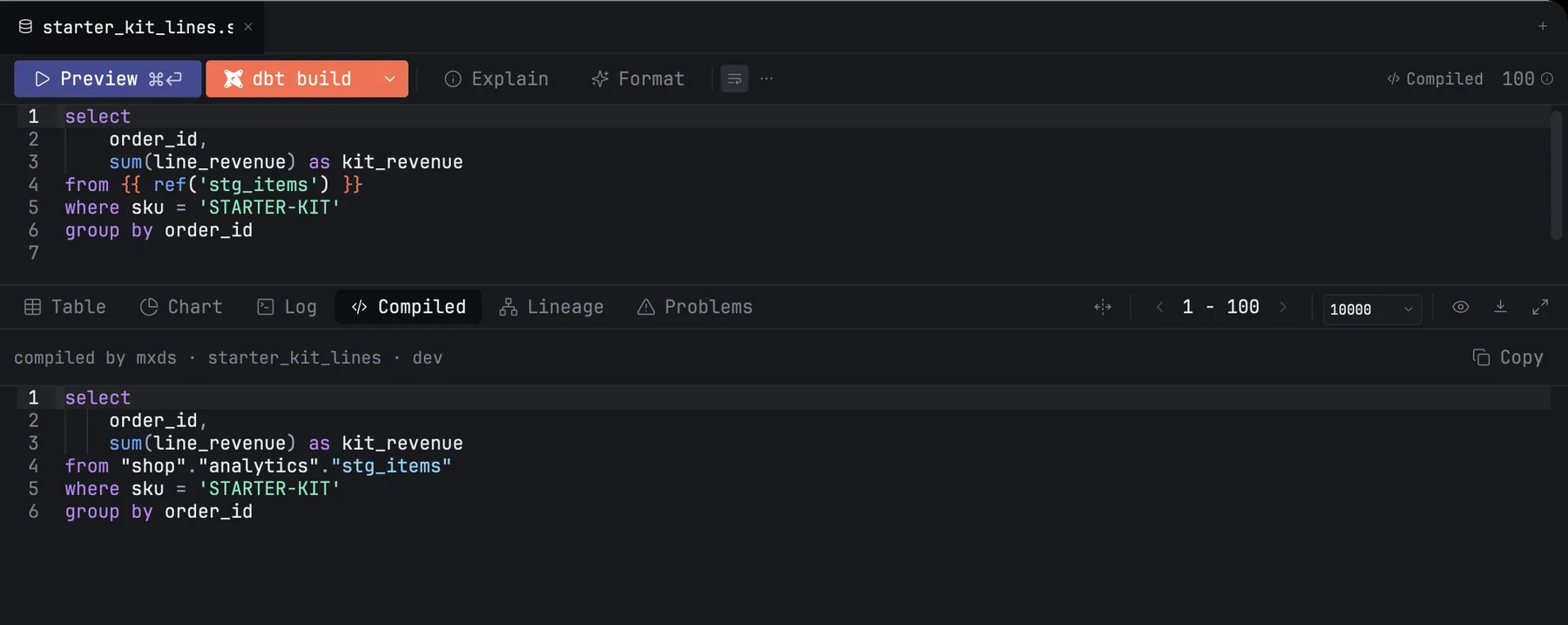
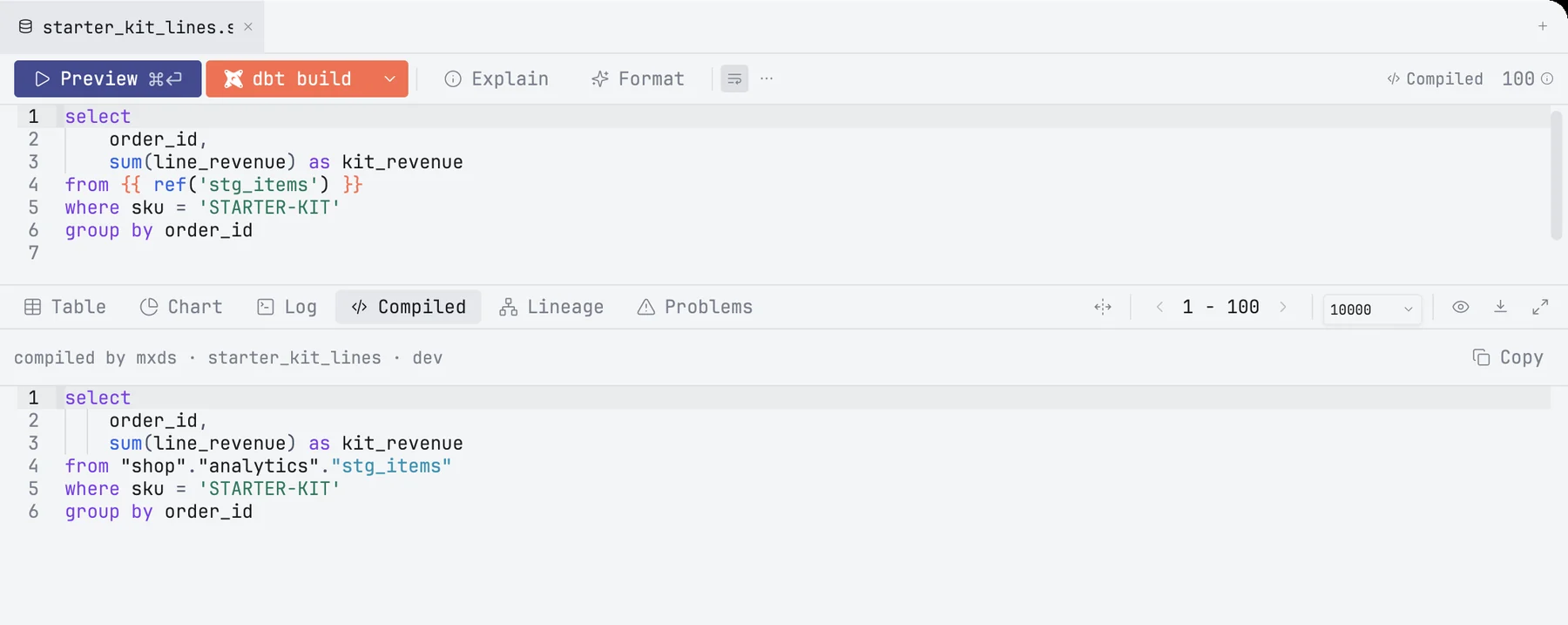
Preview
Press Preview or ⌘↩. mxds renders the model's Jinja itself, runs the result on the tab's target and shows the rows under the editor.
- It previews what is in the editor, unsaved changes included.
- It always runs the whole model. A selection is ignored, because a model is one statement.
- It is limited to 100 rows. The limit is shown in the toolbar; change it in Settings › dbt › Row limit. The model's own SQL is not changed: mxds wraps it in an outer query that takes the first rows.
is_incremental()is false, so an incremental model previews as it would on a full build.
The target's connection opens on the first preview. While it connects or runs, Preview turns into Stop; click it or press Esc.
Explain and the run of a single CTE (⌘⌥↩) work on the rendered model too, on the same target.
The Compiled tab
After a preview, the Compiled button in the toolbar, and the Compiled tab under the editor, show the SQL the model rendered to, without the preview's row limit. The caption says who compiled it, for which model and which target: compiled by mxds · customers · dev. Copy puts the SQL on the clipboard.
The tab belongs to the target the preview ran on. Pick another target and it is cleared until you preview again.
When mxds cannot render a model
Some models use Jinja that mxds does not evaluate itself, such as a macro that queries the warehouse while it compiles. Preview then hands the model to your own dbt:
- mxds saves the file, because dbt reads models from disk.
- It runs
dbt compilefor that one model. The command is written to the Log tab. - It previews dbt's SQL as usual. The Compiled tab says compiled by dbt.
dbt compiles without warming its cache of the warehouse's tables, so most models compile without connecting. A model that queries the warehouse during compilation still connects.
If dbt fails too, the error shows both messages: why mxds could not render the model, and what dbt said. Only one such compile runs at a time, and none while a dbt build is running.
Building
dbt build runs dbt build --select <this model> on the tab's target. It saves the file first. Click the arrow beside it for the options:
| Row | Choices |
|---|---|
| Scope | this model, +upstream (and everything it depends on), downstream+ (and everything that depends on it), changed (every model git reports as modified), all (the whole project) |
| Command | build, run, test, seed, snapshot |
| Target | the profile's targets, including ones Preview cannot connect to, such as BigQuery with OAuth, SQL Server, Spark, MotherDuck or a remote DuckDB: the build runs your own dbt |
| Flags | full refresh, fail fast, empty, defer |
| Vars | key and value pairs passed as --vars |
The last line of the popover is the exact command, with a button to copy it. A flag the chosen command does not accept is dimmed, with the reason on hover; full refresh is also dimmed for a model that is neither incremental nor a seed. changed is disabled when git reports no changed models.
The button is labelled with the command it will run: dbt build, dbt test and so on. The options apply to every model tab of the project until you quit mxds.
Confirming what a build rewrites
Before build, run, seed or snapshot starts, mxds asks:
- how many tables the run rewrites, on which target;
- how many models read them directly, and how many sit further downstream;
- which exposures, such as dashboards, depend on them;
- the first few names of each group, and the exact command.
A full refresh gets a warning line of its own. Show in Lineage opens the run's impact on the Lineage tab instead of running. Tick Don't ask again to skip the question; turn it back on in Settings › dbt › Runs. dbt test writes nothing and does not ask.
The run log
The Log tab opens when the run starts. The first line is the command, then dbt's own output exactly as a terminal would show it, coloured by result, and a last line with the outcome and the time:
$ dbt build --select customers --target dev
…
23 passed · 1 failed · 4 skipped · 12.3s
If dbt writes errors outside its normal output, the first 50 lines go into the log and Copy dbt output copies all of them. When the run finishes, mxds notifies you: a banner when the window is in the background, a notice in the window otherwise. Turn this off in Settings › dbt › Notifications.
Stopping a run
While dbt runs, the Log tab has a Stop button. dbt is asked to stop and is ended two seconds later if it has not. The last line of the log says Stopped, and no notification is shown.